
Your day, already open.
Sill is a native macOS browser that keeps what matters at your fingertips — unread mail on the Gmail icon, a quiet nudge before your next meeting, favorite sites loaded and ready — and folds the rest of your browsing into workspaces that stay light. Calm on the surface, and genuinely private underneath.
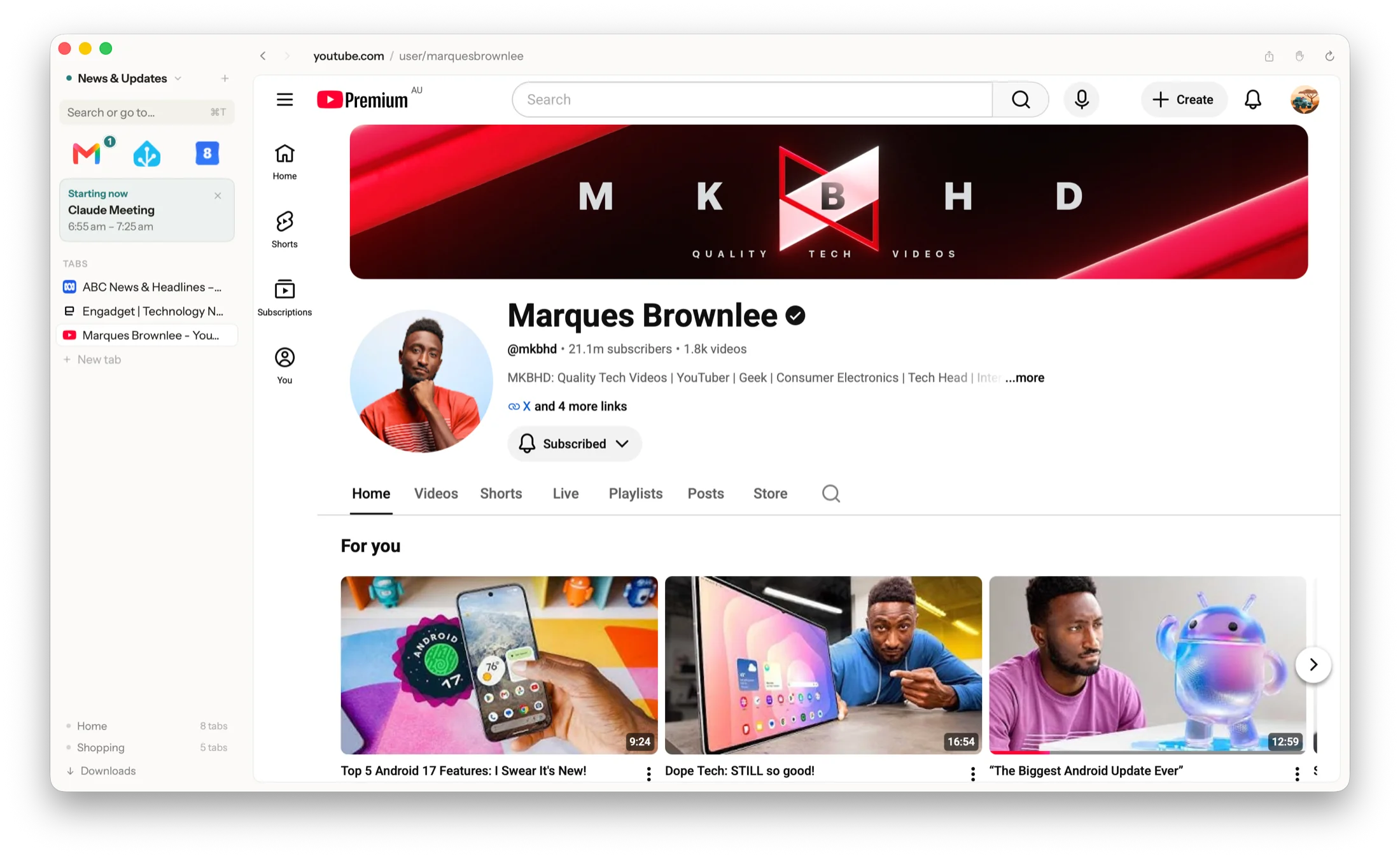
Heads-up favorites
Know before you click.
Favorites in Sill work like the Dock: always loaded, one click away from any workspace, never a spinner. And because they're already loaded, Sill can glance at them for you.
Unread mail, on the icon
A quiet count on your Gmail favorite — read straight from your own signed-in page, not an API or an account you have to connect.
A nudge before meetings
When a Google Calendar meeting is coming up, a small card appears with the time and title. Click it and you land on that meeting, detail bubble open.
Yours to switch on
Off by default. Reading your mail and calendar is your call — one toggle in Settings, and nothing is ever sent anywhere either way.
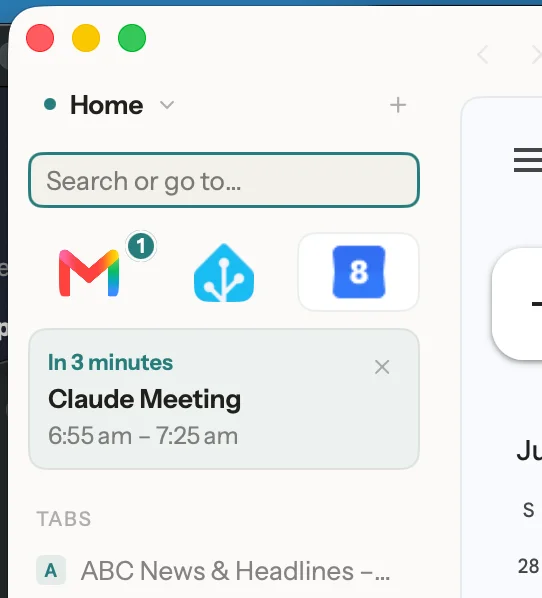
Workspaces & Panel view
Rooms for your life, not tab soup.
Shopping, news, the home-admin pile — each lives in its own workspace. Switch away and the whole room hibernates: tabs release their memory entirely, then wake exactly where you left them, scroll position included. Comparing two things? Put them side by side in one window with Panel view.
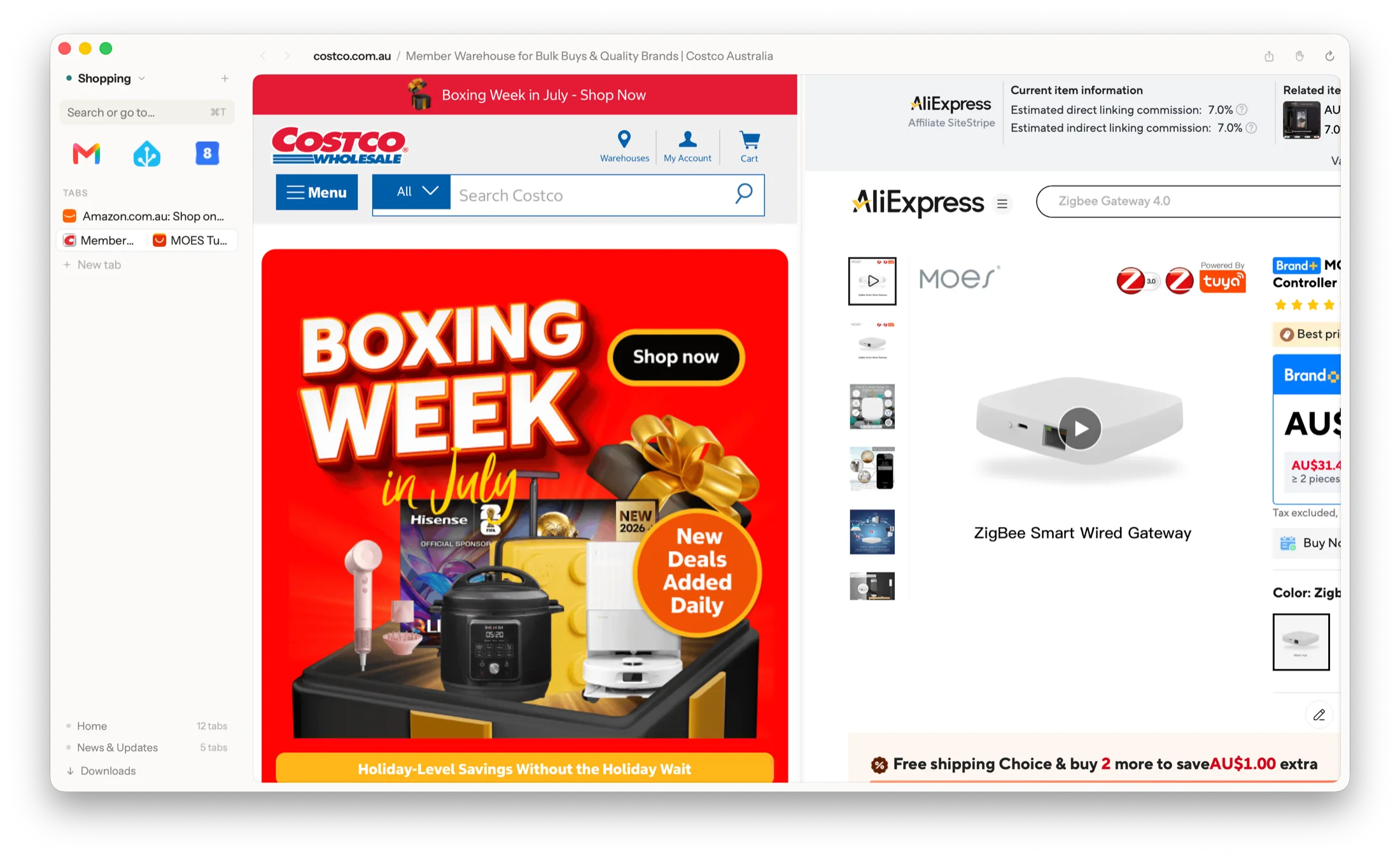

Quiet by design
The page is the point. Everything else steps aside.
A sidebar that disappears
⌘S collapses it to a slim strip of icons; hover for a beat and the full sidebar slides back over the page — never pushing your content around.
Peek without leaving
Links out of your pinned sites open in Glance, a light preview over the page — keep it, or let it vanish without a trace. Quick Look opens any page in its own small window.
One key to anywhere
⌘K searches your tabs, history, bookmarks and apps with plain matching — no ranking tricks, no sponsored anything.
Safe out of the box
Videos never autoplay. Ad networks are blocked natively. Cookie-banner hiding and local-file access exist, but they're yours to switch on.
Why Sill exists
"My data, shown to me" — never "something is watching me."
Sill quietly notices the routines you already have — Mail, then Calendar, then the news most mornings — and offers to turn them into workspaces. The way it does that is the whole point:
Nothing leaves your Mac
Zero network calls of Sill's own. Observation is metadata-only — which sites, when. Never page content, never keystrokes.
No AI guessing about you
Pattern detection is a deterministic engine you could read line by line — not a model, not a black box, no LLM anywhere.
Sensitive sites excluded
Banking, health and government domains are never observed at all — not even a count. Add your own exclusions any time.
Pause or erase, always
Consent comes first, observation can be paused, and one click deletes everything learned. The Learning page shows every record.
And when you build
Real developer tools, already inside.
If you never open these, you'll never see them. If you do build things, they're a tab away: a full API client with environments, variables and OpenAPI/Postman import; an MCP explorer for browsing any server's tools; the Safari Web Inspector on every page; one-click page capture; and JSON that always renders as a readable tree.
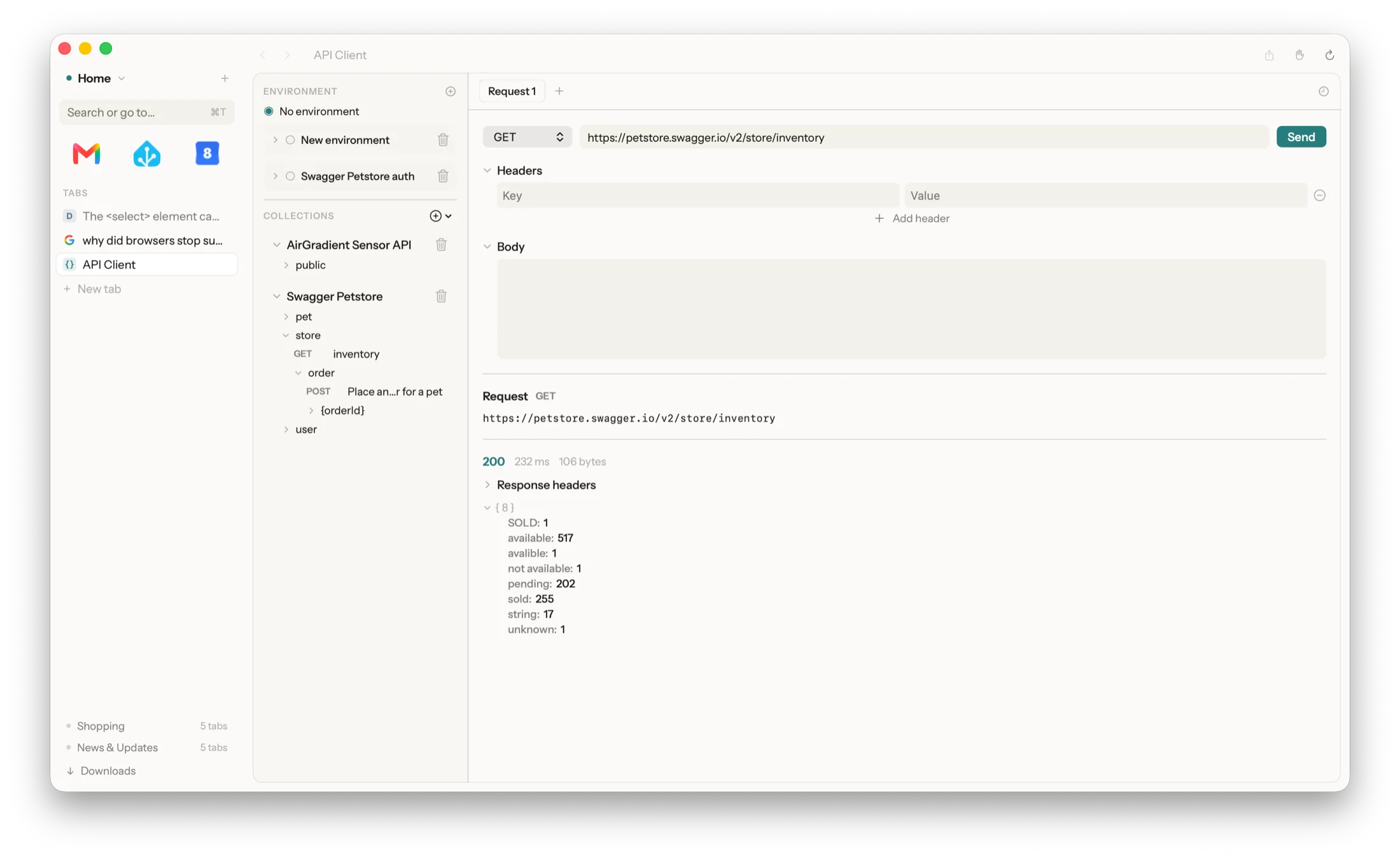
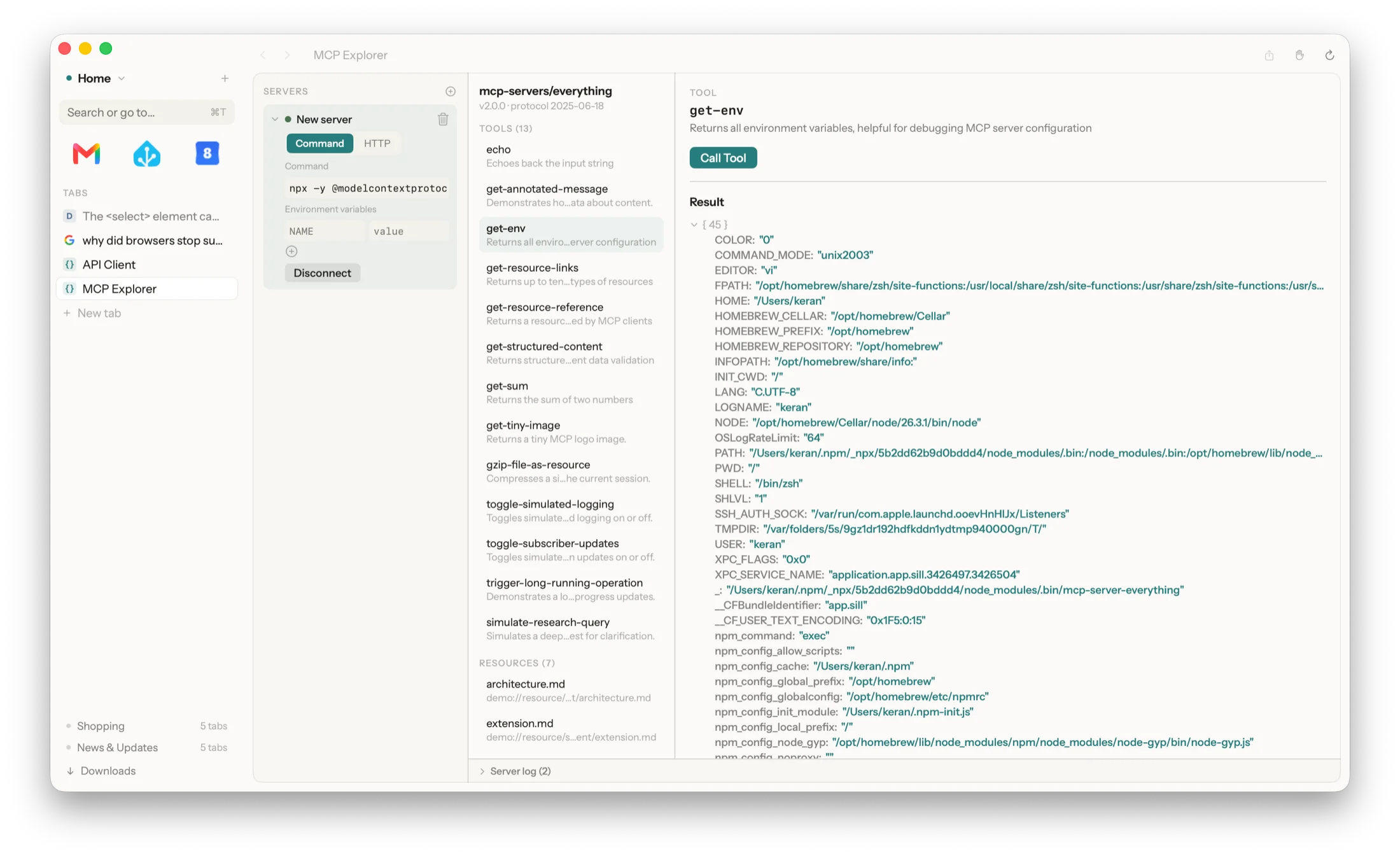
Built for people, one group at a time.
Sill started as a calm, private everyday browser — that's the core, and it always will be. On top of it, we're tuning for the ways real people actually work: developers were first (the tools above), streamers are next (an "On Air" mode that guarantees nothing personal appears on screen, a floating always-on-top player, per-tab mute), with focused work-day features after that.
The order is set by the people using it — every piece of feedback is read.
Common questions
Is Sill free?
Yes — Sill is in free early access. No account, no sign-up, no subscription. Download it and go.
Does Sill send my browsing data anywhere?
No. Sill makes zero network calls of its own. Routine observation is metadata-only — which sites, when — never page content or keystrokes, and it all stays on your Mac. Banking, health and government sites are never observed at all.
Is there an AI reading my browsing?
No. Pattern detection is a deterministic engine you could read line by line — not a model, not a black box, no LLM anywhere. And it's off by default until you switch it on.
What Macs does Sill run on?
macOS 14 Sonoma or later, on both Apple Silicon (M1–M4) and Intel.
What are workspaces?
Rooms for different parts of your life — shopping, news, home admin. Switch away and the whole workspace hibernates, releasing its memory entirely, then wakes exactly where you left it, scroll position included.
Does Sill have developer tools?
Yes — a full API client with environments and OpenAPI/Postman import, an MCP explorer, the Safari Web Inspector on every page, one-click page capture, and JSON rendered as a readable tree. If you never open them, you'll never see them.
How Sill compares
Honest, no-strawmen comparisons
Against the browsers you're probably weighing — the genuine advantages of both, every time.