
The air outside, on your wall.
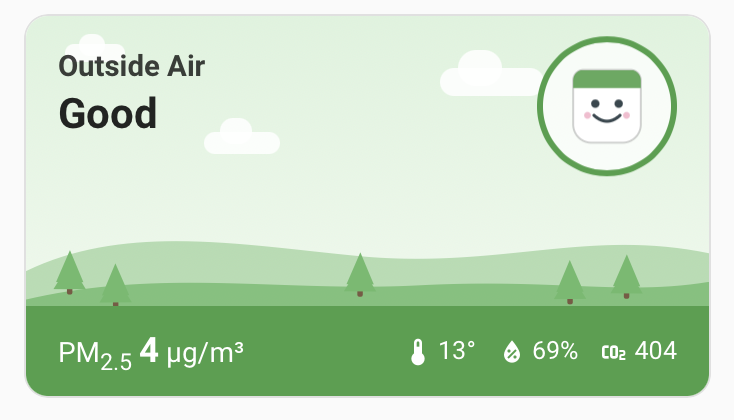
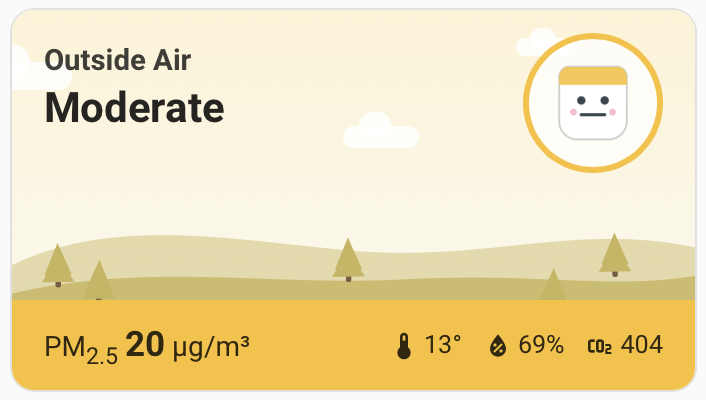
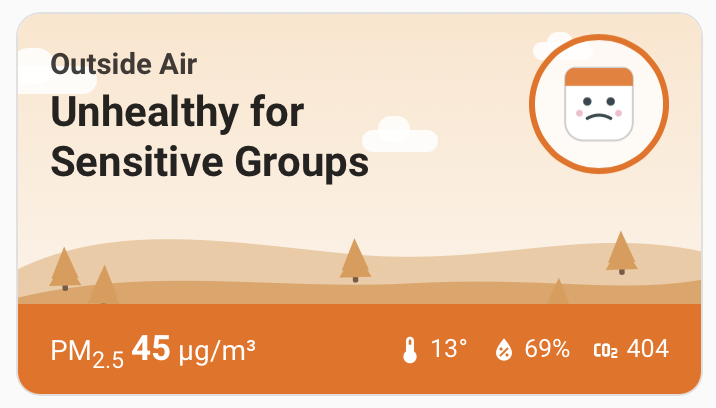
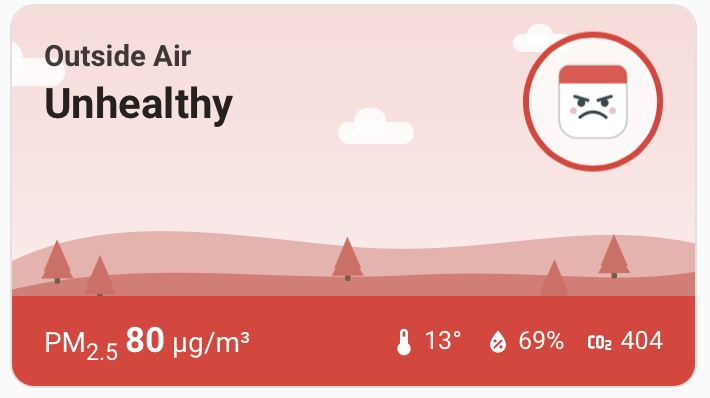
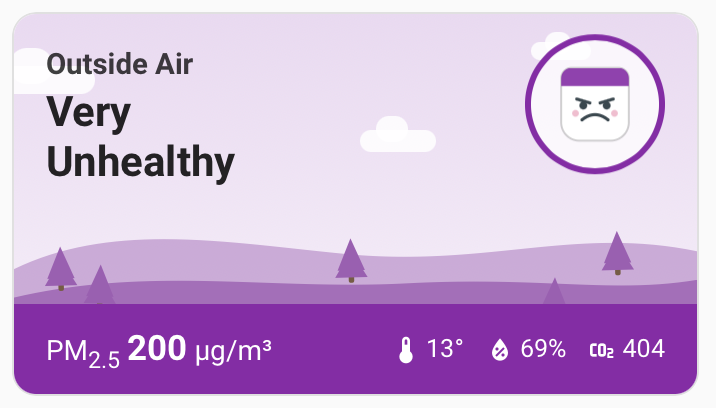
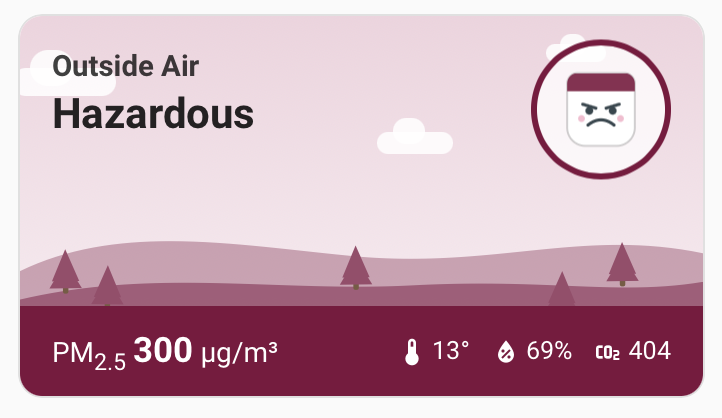
Follow any public air-quality sensor from theAirGradient map — the one down your street, not one you have to buy — right inside Home Assistant. The card's whole scene, and its little mascot's mood, shift with the air quality, so a glance tells you before you read a number.
A glanceable scene
Six moods, from great to get-inside.
The card's scene follows the US EPA AQI categories for the public sensor you're following — green and grinning on a clear day, dark and frowning when the smoke rolls in.
Why it exists
Local air quality, without buying a sensor.
The AirGradient map is thousands of people sharing what their monitors read, live. This integration lets Home Assistant follow any of them over the free public API — so the sensor two streets away becomes entities on your dashboard, no hardware and no account required.
No account, no token
Reads AirGradient's free public API directly. All you need is a location ID from the AirGradient map — nothing to sign up for.
No hardware needed
Follow any public sensor on the map, like the one down your street. Own a monitor too? Run the official local integration alongside this one.
Full pollutant set
PM2.5, PM10, PM1, US AQI, CO₂, temperature, humidity, TVOC and NOx — all as normal Home Assistant entities with long-term history.
Card bundled in
The animated map card ships with the integration — no separate resource to register. The scene and mascot shift with the AQI category.
Up and running in about five minutes
Open in HACS
Open the repository in HACS via the My Home Assistant button, click Download, then restart Home Assistant.
Add the integration
Settings → Devices & Services → Add Integration → "AirGradient Public Location", and enter a public location ID from the AirGradient map.
Drop in the card
Add "AirGradient Map Card" from the dashboard card picker and point it at the PM2.5 sensor, hard-refreshing once so the card loads.
Common questions
Do I need an AirGradient account or API token?
No. The integration reads AirGradient's free public API directly. You only need the location ID of a public sensor from the AirGradient map — nothing to sign up for.
Do I need to own an AirGradient monitor?
No — that's the point. It follows any public sensor on the AirGradient map, like the one down your street. If you do own a monitor, run AirGradient's official local integration alongside this one.
How is this different from the official AirGradient integration?
The official integration talks to a monitor you own over your local network and can't read public map sensors. AirGradient Public does the opposite: it follows public map locations via the token-free public API.
What sensor data does it expose in Home Assistant?
PM2.5, PM10, PM1, US AQI, CO₂, temperature, humidity, TVOC and NOx — all as normal Home Assistant entities with long-term history.
How do I install it?
Through HACS: open the repository via the My Home Assistant button, download it, restart Home Assistant, then add the "AirGradient Public Location" integration and enter a public location ID. The Lovelace card is bundled in — no separate resource to register.
Is it free?
Yes — free and open source under the MIT license. Air quality data is provided by AirGradient under CC BY-SA 4.0.
How to add air quality to your Home Assistant dashboard →Air Quality Scene Card (for sensors you own) →
Put your neighbourhood's air on the wall.
Free and open source. Installs through HACS — no account, no token.