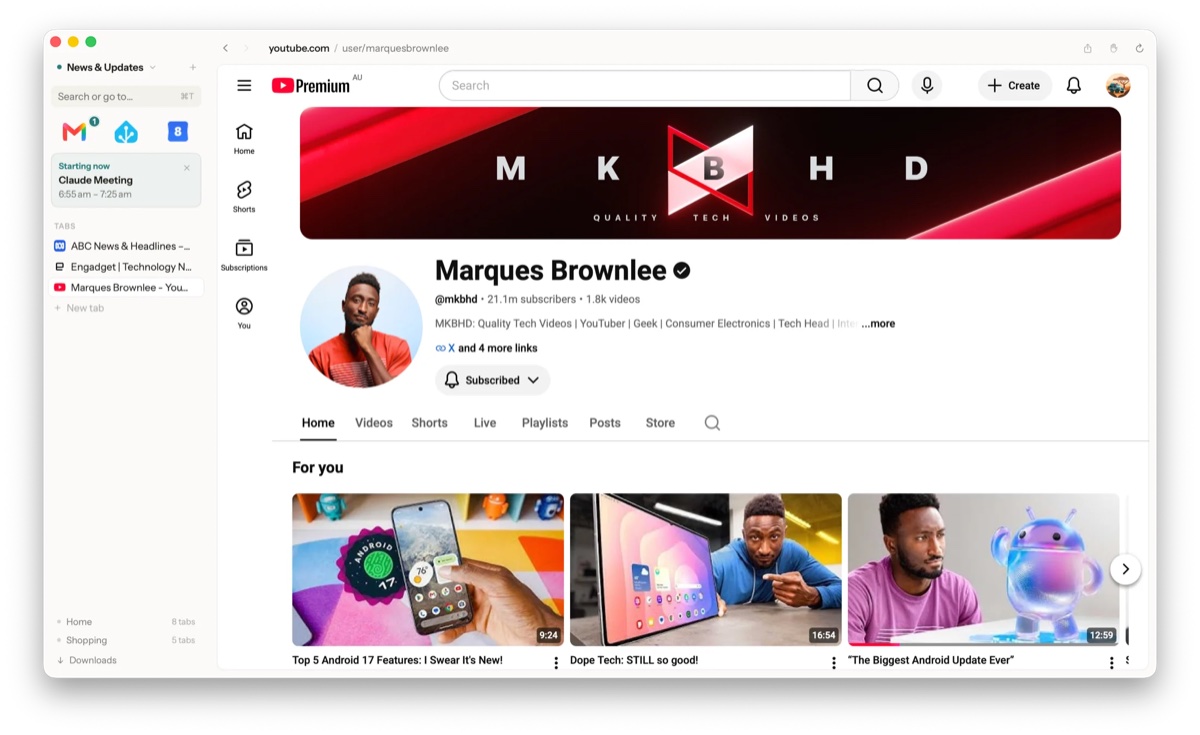
First: incognito mode is not privacy
Private or incognito windows do one thing. They stop the browser writing history, cookies and form data to your own disk. The sites you visit still see you, your network and ISP still see your traffic, and the browser maker’s own data collection is untouched. Incognito protects you from the next person using your Mac, and from nobody else. Real browser privacy is about what happens on every window, all the time.
The four questions that actually matter
1. What does the browser itself send?
Before worrying about ad networks, ask about the browser: telemetry, crash reports, usage analytics, “safe browsing” lookups, cloud sync that’s on by default. This is the highest-order question because it’s the one you can’t fix with an extension. If the browser phones home, everything else is negotiation. The gold standard is simple to state: a browser that makes zero network calls of its own, so the only traffic leaving your Mac is the sites you chose to visit.
2. Where do the “smart” features run?
The 2026 question. Browsers increasingly summarize pages, suggest next steps, or bundle assistants, and each such feature either runs locally or ships your page content to a server. Neither is automatically wrong, but you should get to know which it is and to say no. Look for features that are opt-in, local, and explainable; be wary when the documentation is vague about where processing happens.
3. What happens to trackers and ads?
Tracker blocking is where most “private browser” marketing lives, and it does matter. Cross-site trackers are how your browsing becomes a profile. Prefer blocking that’s built into the browser over an extension: extensions add a party that can itself read your browsing, and content-blocking APIs limit what they can do anyway.
4. Can you verify any of it?
Claims are cheap. Verification is either reading (open source, or at least a precise technical description of what’s collected) or watching (point Little Snitch or a local proxy like mitmproxy at the browser and see what it connects to). A browser whose honest answer to question 1 is “nothing” is the easiest kind to verify. Any connection that isn’t a site you visited is a broken promise.
Applying the test on a Mac
Descriptions below come from each browser’s own public documentation; strengths first, honestly.
- Safari. Strong on-by-default tracking prevention (Intelligent Tracking Prevention, fingerprinting defenses) and native macOS efficiency. Its privacy story is tied to trusting Apple’s ecosystem, and features like sync and Siri suggestions live in that ecosystem; ad blocking needs a content-blocker extension.
- Firefox. Open source with Enhanced Tracking Protection on by default; the most verifiable of the mainstream options. Telemetry is on by default but documented and can be switched off.
- Brave. Chromium with genuinely aggressive built-in ad and tracker blocking. It also bundles a rewards/crypto ecosystem and its own search and AI features; all documented, but the surface area is large and some of it needs turning off if you want quiet.
- Chrome. The baseline to measure against: excellent engineering, but a business model built on advertising, sign-in prompts throughout, and telemetry woven in. “Private” is not the claim Google makes for it, to its credit.
Where Sill fits
Disclosure: Sill is the browser I build, so judge this section by the four questions rather than by me. Sill’s answers:
- What does it send? Nothing. Sill makes zero network calls of its own: no telemetry, no analytics, no accounts, no cloud sync. The only traffic is the sites you visit, which makes the claim easy to check with Little Snitch.
- Where do smart features run? On your Mac, and off by default. Routine detection (noticing you open Mail, then Calendar, then the news most mornings, and offering a workspace for it) is a deterministic engine you could read line by line, not a model. It observes metadata only (which sites, when), never page content or keystrokes; banking, health and government sites are never observed at all; and one click deletes everything learned.
- Trackers and ads? Ad networks are blocked natively, videos never autoplay, and cookie-banner hiding exists but is yours to switch on. Sill doesn’t decide for you.
- Verifiable? The zero-network-calls claim is watchable in any traffic monitor, the pattern engine is deterministic by design, and the Learning page shows every record Sill holds.
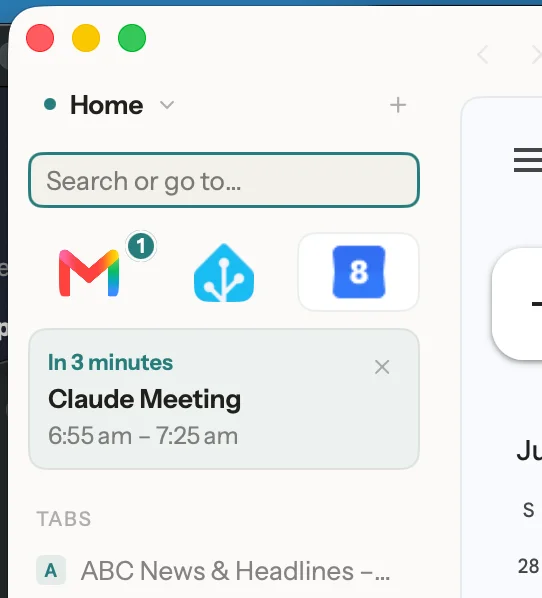
Sill is free early access for macOS 14 Sonoma or later, Apple Silicon and Intel, with no account required.
The five-minute check for any browser
- Read the privacy page: what telemetry is on by default, and can it be fully disabled?
- Find every AI or suggestion feature and confirm where it processes your data, local or server.
- Check whether tracker and ad blocking is built in or requires an extension.
- Search for the browser’s data-collection disclosure (Mac App Store privacy labels are a fast proxy).
- If you’re serious: watch its connections with Little Snitch for a day.
Frequently asked questions
Is incognito or private browsing mode actually private?
Only locally. Private windows stop the browser saving history, cookies and form data on your machine. Websites, your employer's network, and your ISP see your traffic exactly as before, and the browser maker's own telemetry is unaffected. It's amnesia, not invisibility.
What should a private browser never do?
Phone home with your browsing. The strongest privacy property a browser can have is making no network calls of its own: no telemetry, no cloud sync of history by default, no sending page content to remote AI services. Everything else (tracker blocking, fingerprint resistance) builds on top of that.
Do I need a VPN if I use a private browser?
They solve different problems. A private browser controls what the browser itself collects and what trackers see; a VPN hides your IP address and traffic from your network and ISP. Neither replaces the other.
Is Sill's smart behaviour AI in the cloud?
No. Sill's routine detection is a deterministic engine that runs on your Mac, not a model, not a black box, no LLM anywhere, and it's off by default. It observes metadata only (which sites, when), never page content or keystrokes, and banking, health and government sites are never observed at all.
How can I verify what a browser sends?
Watch it. Run a local proxy like Charles or mitmproxy, or use Little Snitch on macOS, and observe the browser's connections while you browse. A browser that makes zero calls of its own is easy to verify. The only traffic you'll see is the sites you visit.